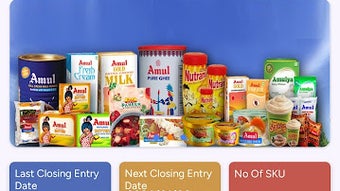

Download Amul Mobile DMS APK – Distributor Management, Sales Tracking, Order Processing, Geo-Tagging, KPI Dashboard
Overview
The Amul Mobile DMS is a dedicated Android application developed to support distributors in the food and beverage sector by streamlining core operational workflows. Designed as a digital tool for field-based business management, it enables users to handle sales, order placement, and collections directly from mobile devices. The software aims to improve efficiency in distribution networks by digitizing manual processes traditionally managed through paper-based systems or fragmented communication channels.
Targeted primarily at distributors and sales personnel working within the Amul supply chain, the app supports real-time data capture and reporting. Its functionality is tailored to enhance visibility into retail performance, inventory levels, and collection status across multiple outlets. Use cases include daily route planning, order verification at retail points, and tracking of key performance indicators such as order fulfillment rates and collection accuracy.
Developed by Amul, a well-known name in the dairy and packaged foods industry, the application reflects the company’s commitment to digital transformation in its distribution ecosystem. The app’s focus on usability and operational clarity makes it suitable for field staff with varying levels of technical proficiency.
Key Features & Capabilities
- End-to-End Order Management: Enables distributors to create, modify, and confirm orders directly from the field, reducing delays and errors associated with manual entry.
- Geo-Tagging for Field Activities: Automatically records the location of each order or visit, providing verifiable data for route audits and performance tracking.
- Centralized KPI Dashboard: Offers a consolidated view of critical business metrics such as sales volume, collection efficiency, and order accuracy, supporting data-driven decision-making.
- Stock Capture at Retail Outlets: Allows users to record current stock levels at retail points during order placement, improving inventory visibility and reducing out-of-stock incidents.
- Configurable User Access: Supports role-based permissions, enabling administrators to assign different levels of access to team members based on their responsibilities.
- Intuitive Interface with Search Functionality: Features a clean layout with quick access to frequently used modules and a robust search function to locate orders, outlets, or products efficiently.
These capabilities are particularly beneficial in high-volume distribution environments where timely data entry and accurate reporting are essential. For example, a distributor can use the app to verify stock availability at a retail store before placing an order, ensuring better fulfillment and customer satisfaction.
User Interface, Workflow & Performance
The application features a streamlined user interface designed for ease of navigation on mobile devices. Key modules are accessible through a main dashboard, minimizing the number of taps required to perform routine tasks. The layout emphasizes clarity, with consistent icons and labeled sections that support quick orientation for new users.
Workflow efficiency is enhanced through logical task sequencing—users can initiate an order, capture stock details, apply geo-tags, and submit the transaction in a single session. The search function allows rapid retrieval of outlet records or product codes, reducing time spent on manual lookups.
Performance observations are based on general software behavior patterns. The developer did not specify resource usage details. However, the app’s relatively small size of 12.5 MB suggests it is optimized for low-bandwidth environments and devices with modest hardware specifications. Stability during extended use was not publicly documented.
Compatibility & System Requirements
Amul Mobile DMS is designed for Android operating systems. The current version, 1.0.1, is compatible with Android devices running the minimum required OS version, though specific details were not provided. The application requires approximately 12.5 MB of storage space for installation.
Exact system requirements were not listed. Compatibility information was partially provided. Users should ensure their device meets general Android app compatibility standards, including a stable internet connection for data synchronization and location services for geo-tagging functionality.
Pros and Cons
Pros
- Free to download and use, reducing operational costs for distributors.
- Intuitive interface with quick access to core modules.
- Supports real-time data capture with geo-tagging for accountability.
- Centralized dashboard for monitoring key business metrics.
- Stock capture during order placement improves inventory accuracy.
- Configurable access controls for team management.
Cons
- Compatibility with specific Android versions was not disclosed.
- Performance under heavy usage or low network conditions was not specified.
- Limited to Android platform; no support for iOS or other operating systems.
- No information available on offline functionality or data sync reliability.
- Developer did not provide details on update frequency or long-term support.
FAQ Section
Is Amul Mobile DMS available for iOS devices?
The application is currently designed for Android operating systems. There is no official support for iOS devices as of the release date.
Is the app secure for handling business transactions?
While the app enables secure business operations, specific security protocols such as encryption standards or authentication mechanisms were not disclosed by the developer.
How often are updates released for the app?
The update schedule for Amul Mobile DMS has not been publicly communicated. Users are advised to check the official source for the latest version.
Can the app be used without an internet connection?
Information regarding offline functionality was not provided. The app may require an active internet connection for data submission and synchronization.
What type of license does the app use?
Amul Mobile DMS is offered as a free tool, and no licensing model was specified. It is intended for use within the authorized distribution network of Amul.
Final Thoughts + CTA
The Amul Mobile DMS presents a practical solution for distributors seeking to modernize their field operations. With its focus on real-time order processing, geo-tagged data, and KPI monitoring, the app addresses common pain points in the distribution chain. Its free availability and mobile-first design make it accessible to a wide range of users in the food and beverage sector.
While certain technical details remain undisclosed, the app’s core functionality aligns well with the needs of field teams managing sales and collections. For distributors operating within the Amul ecosystem, this tool offers a reliable platform to improve accuracy, transparency, and operational speed.
Download Amul Mobile DMS now






.png)
